Using the BankHolidays Settings Menu (Settings & Windows, gear icon)
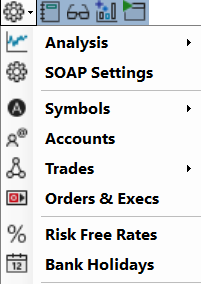
The **BankHolidays Settings** menu, accessible via the Settings & Windows (gear icon) on the top toolstrip (see below), provides access to public holidays and non trading days.
This short guide explains each section and how to use the available settings.

## Overview
Clicking the **Settings** (wheel) icon opens a menu with the Bank Holidays item.
---
## Non Trading Days and Bank Holidays
### 1. Bank Holidays
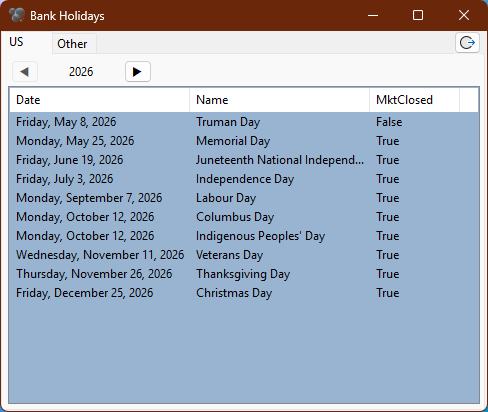
Bank Holidays are non trading days that can affect your trading strategy and risk management. This section allows you to view and manage the list of bank holidays for different regions.
They are listed automatically based on the country you select, and you can also add custom holidays if needed.
### 2. Non-Trading Days
A Bank Holiday isn't always a non trading day, but there may be other non trading days that are not bank holidays (e.g., exchange-specific holidays, early closes, etc.). This section allows you to manage these additional non trading days.
For the US: https://www.cboe.com/about/hours/us-options
By default, a bank holiday is added as a non trading day, but you can change the day status to a trading day if you wish. Just double click on the day in the list to toggle its status.
### 3. Use in SOAP
SOAP uses all calendar days in DTE calculations, but calendar days that are marked as non trading days will be excluded from the list of available trading days when you create a strategy or run a backtest.
This ensures that your strategy is only evaluated on days when the market is open, providing more accurate results.
---
Go back to the main help page [SOAP2 Help Guide](index.md.html).